Exports from AppVideoStudio render exact timeline frames to an MP4. The result is deterministic and a slower computer does not change the timing or motion. Each exported frame is resolved from its exact timeline increment, not from how fast the preview happened to play on your machine.
In practical terms, export is not a live screen recording of the preview. AppVideoStudio renders the current composition frame by frame from explicit timeline increments, so output fidelity and timing are based on the project data, not on whether the machine can play the preview smoothly in real time.
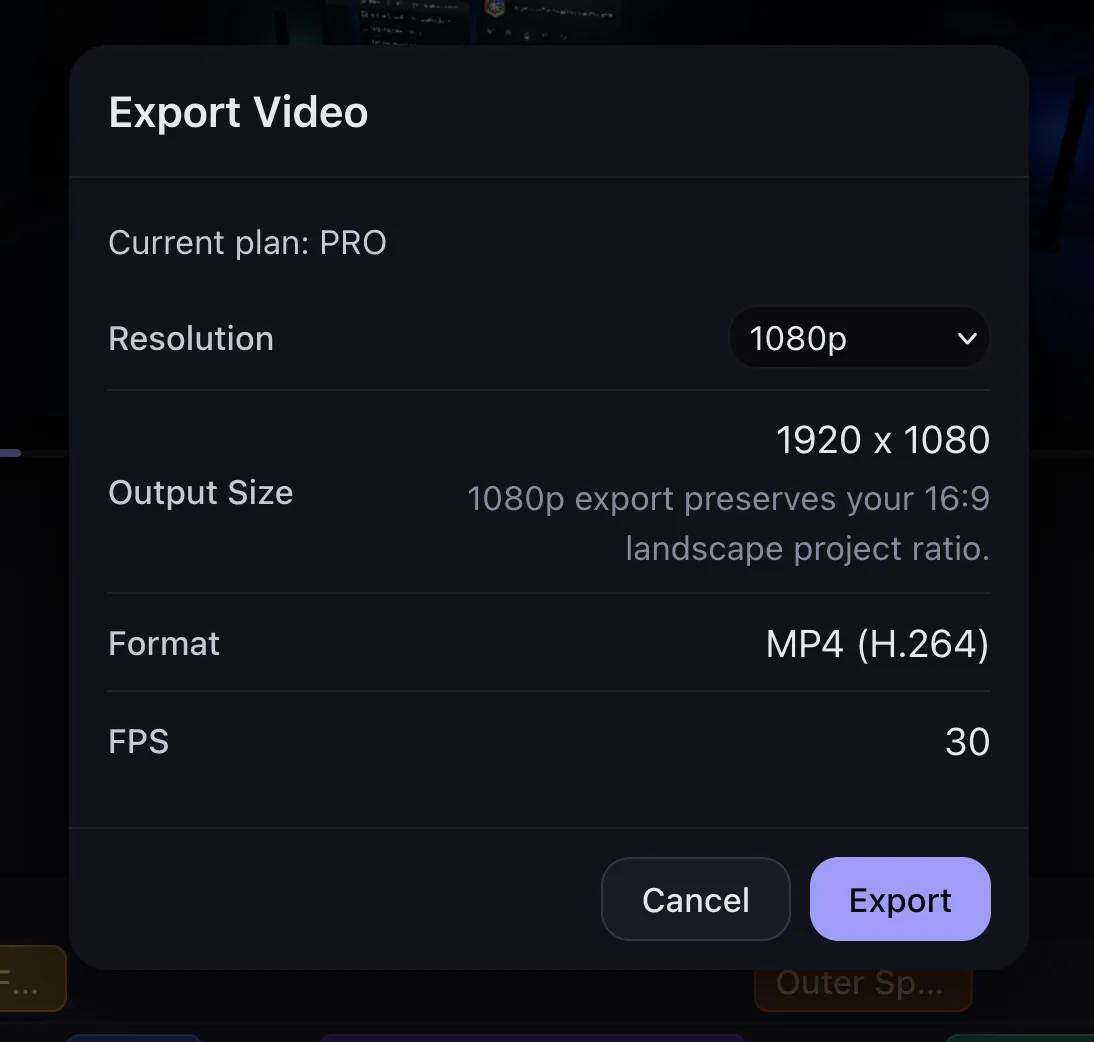
Output Fidelity
You choose the output resolution, AppVideoStudio derives the final pixel dimensions from your project ratio, and the export pipeline renders a local MP4 at 30 frames per second. Higher resolution means higher output fidelity, but the composition shape stays the same. The current output format is MP4 encoded as H.264, and the app downloads the file directly when export finishes.
Why Export Is Deterministic
The important thing to understand is that export is not recording a live preview in real time. AppVideoStudio pauses playback, creates an export surface, and renders the video frame by frame from exact timeline increments. At 30 fps, frame 0 is time 0, frame 1 is 1/30 second, frame 2 is 2/30 second, and so on.
The preview path has a different job. Preview is optimized for low latency, responsive scrubbing, and usable playback on lower-performance machines while you edit. That is why preview can prewarm scenes, reuse cached frames, and avoid blocking playback waiting for every asset to resolve perfectly. Export is the opposite, it can take longer, but it waits to render the actual output frame for the exact export time and it doesn't skip a beat.
That means a slow computer does not change the animation timing. It only changes how long you wait for the export to finish. If your machine takes longer to render frame 534, that is fine. Frame 534 is still rendered as frame 534, using the exact timeline time that belongs to that frame. The export is driven by timeline time, not by playback speed, dropped frames, or whatever happened to be visible on screen in a real-time preview.
Slow hardware can make exporting take longer. It should not make the exported motion drift, speed up, or miss beats, because the renderer samples explicit frame times instead of trying to keep up with live playback.
AppVideoStudio also quantizes bound video assets to export frame boundaries so asset video slots to resolve against exact frame times. The export path prefers a deterministic FFmpeg-backed decode path for video assets, warms media before frame zero to avoid a transient black handoff, and keeps probing the exact target frame rather than jumping forward and caching the wrong image at a scene boundary.
Resolution Control Without Cropping the Project
The resolutions menu are not a resize feature. It is a target pixel budget that respects the project shape you chose. AppVideoStudio calculates a scale factor from your current project dimensions and the selected export tier, then scales width and height together so the aspect ratio stays intact. Final dimensions are normalized to even values so the encoded video stays codec-friendly.
Same Rendering Logic, Just Offline and Deliberate
The export is not some unrelated backend renderer with its own design rules. The export path walks the active timeline components, gets the same template modules, resolves the same asset bindings, loads the fonts those params need, and calls the same render functions with explicit time, width, height, duration, and asset data.
That is why the final output feels consistent with what you have been building in the editor. The difference is not creative logic. The difference is that export does the work in a controlled, frame-by-frame pass aimed at final delivery.
Browser-Side Encode, With Fallbacks
AppVideoStudio chooses the best available encoder for the browser it is running in. When WebCodecs is available, it uses a canvas-backed MP4 encode path. When it is not, it falls back to an FFmpeg.wasm path. Either way, the timeline frames are rendered first from explicit times, and the result is packaged as an MP4.
Audio is handled as part of the same export step. If the timeline includes an audio bed component, AppVideoStudio muxes that track into the finished MP4, so the export includes both picture and sound.
In practice, export gives you a predictable delivery step. You can choose the target resolution, keep the project ratio intact, rely on fixed frame timing even on slower machines, and download a local MP4 without sending the project to a remote render service.
For app videos, that mainly means less guesswork. The timing you set in the timeline stays tied to exact frame times, the exported dimensions stay aligned with the destination, and the last step is easier to reason about when you need multiple revisions or multiple output sizes.