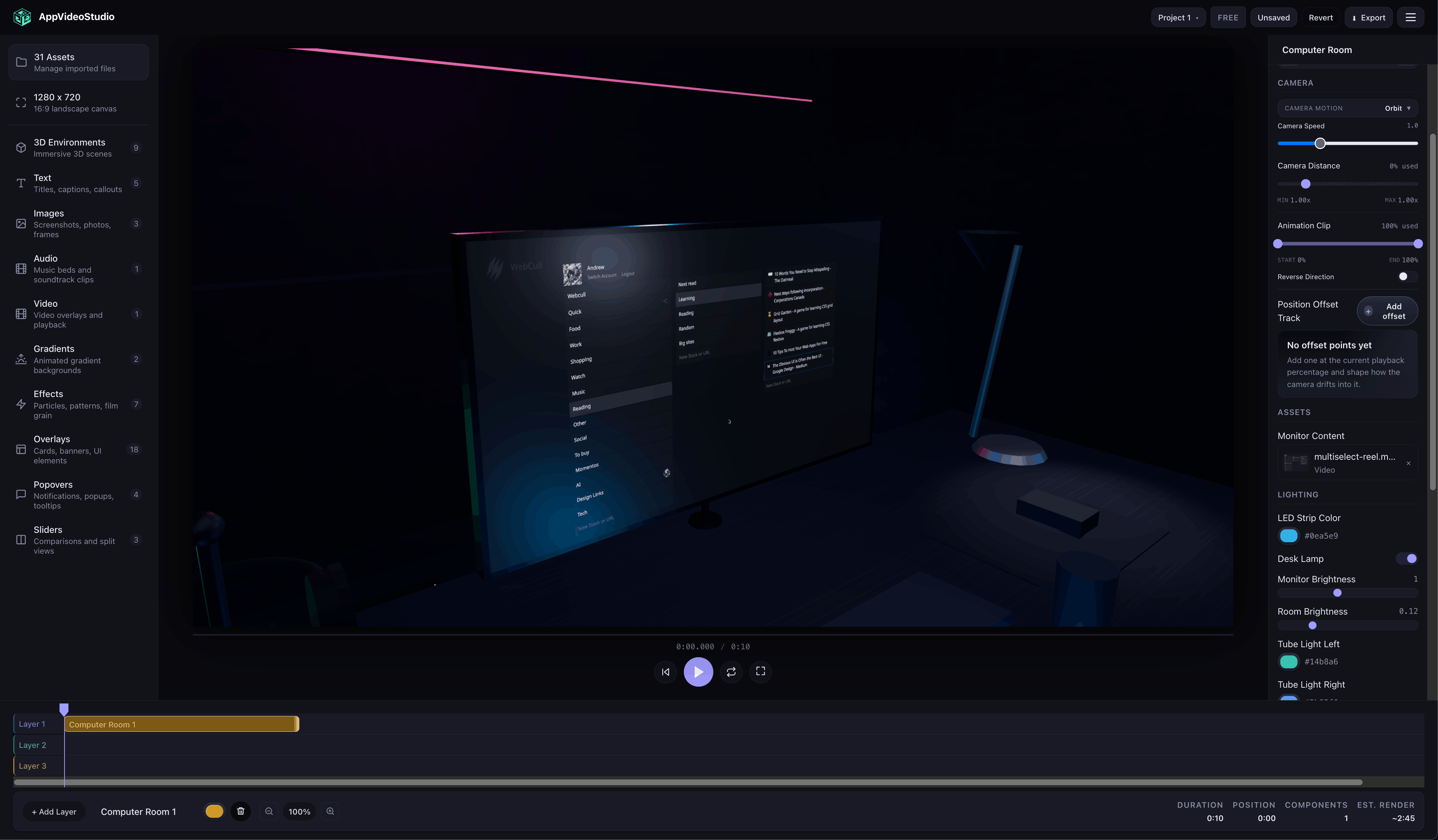
The public player is for the moment when a video stops being something you preview in the editor and starts becoming part of your product, launch page, help center, docs site, or agent workflow. It is also the harness the AppVideoStudio video-maker skill can use to load a real document, inspect the result, and iterate in the same runtime you can ship. It gives you a real AppVideoStudio runtime on your own page, with enough control to make the embed feel native instead of bolted on.
A real player belongs in the story, not off to the side
This page uses the actual public player. It loads a document, preloads its assets, loops playback, and exposes a few controls so you can see the integration behaving like a product surface, not a static marketing screenshot.
What changes once the player is public is simple: you stop shipping a rendered export every time you want to change copy, timing, or creative combinations. Instead, your site decides which document to load, when to load it, and how the surrounding UI should respond.
- The player is a web component, so it fits into plain HTML, React, Astro, CMS pages, and internal tools without ceremony.
- The document stays in your own app or content pipeline. The player renders what you hand it and nothing more.
- Your page can treat playback like application state: start on hover, sync to tabs, jump to chapters, or respond to user input.
- The event stream makes it practical to attach progress indicators, CTAs, or analytics without polling hacks.
The useful part is not just that a video plays. The useful part is that your page can treat the video like a controlled interface element.
This page stays deliberately editorial. If you want the deeper builder flow or raw API reference, jump to the playground and SDK docs from here.
Less like an embed, more like part of the page
Most website video embeds behave like sealed boxes. You paste in a URL, get a frame, and live with whatever chrome or state model that provider gives you. The public player is different: the rendering runtime stays owned by AppVideoStudio, but the experience around it stays owned by you.
That matters when a product launch has multiple variants, when docs need a chaptered demo next to explanatory copy, or when a sales site wants a video to react to the same buttons and tabs that drive the rest of the page.
The integration surface is still small. Place <avs-player>, wait for
ready, load a document, then call transport methods when you need them. That is
enough to cover most marketing and product-site use cases without turning the page into an app
rewrite.
The live demo above is using that same shape. There is no second website-only player hidden in the docs, and no separate fallback runtime just for this page.
What the player lets the rest of the page do
The part worth showing is not a dry checklist of methods. It is what happens when a real page starts treating the player like something it can direct. These demos use actual content built with Abstract Shapes, Chat Bubbles, Portal Wormhole, and Computer Room so the player behavior is visible in context instead of floating in abstraction.
Keep one player on the page and swap the story around it
This is one of the first useful things about the public player. You do not need a new embed every time the page wants to show a different idea. The same player can load a soft brand intro, a chat-style walkthrough, a portal transition, or a staged product scene depending on what the visitor clicks.
See how this demo is built
const documents = {
  abstract: buildTemplateDocument('abstract-shapes', {
    params: {
      primaryColor: '#5be0ae',
      secondaryColor: '#4e81ff'
    }
  }),
  chat: buildTemplateDocument('chat-bubbles', {
    params: {
      msg1: 'Open Settings and connect your workspace.',
      msg2: 'Done. Now invite the team.'
    }
  }),
  portal: buildTemplateDocument('portal-wormhole', {
    assetBindings: { videoContent: 'asset-demo-video' }
  }),
  computer: buildTemplateDocument('computer-room', {
    assetBindings: { screenContent: 'asset-demo-video' }
  })
};

button.addEventListener('click', async () => {
  await player.load(documents[button.dataset.switchDemo]);
  await player.play();
});Move a reader straight to the right moment
A docs page should not make someone scrub around hoping they find the section the article is talking about. In this demo, one document moves from Abstract Shapes into Chat Bubbles, then Portal Wormhole, then Computer Room. The links below jump the player to the chapter the text is describing.
See how this demo is built
const chapterDocument = {
  timeline: [
    { componentType: 'abstract-shapes', startTime: 0, duration: 18 },
    { componentType: 'chat-bubbles', startTime: 0.6, duration: 5.4 },
    {
      componentType: 'portal-wormhole',
      startTime: 6,
      duration: 5,
      assetBindings: { videoContent: 'asset-demo-video' }
    },
    {
      componentType: 'computer-room',
      startTime: 11,
      duration: 7,
      assetBindings: { screenContent: 'asset-demo-video' }
    }
  ]
};

chapterButton.addEventListener('click', async () => {
  await player.seek(Number(chapterButton.dataset.chapterTime));
  await player.play();
});Let the rest of the page react while the video runs
The player gets much more interesting once the page starts listening back. This demo uses the same chaptered document, but now the surrounding copy changes as playback moves from the intro to the conversation, into the portal transition, and finally onto the staged product scene.
Brand motion sets the tone before the product explanation starts.
See how this demo is built
player.addEventListener('timeupdate', (event) => {
  const currentTime = event.detail.currentTime;
  const scene = getSceneForTime(currentTime);

  sceneLabel.textContent = scene.label;
  copy.textContent = scene.copy;
  progressFill.style.width = `${(currentTime / 18) * 100}%`;
});

player.addEventListener('pause', () => {
  sceneLabel.textContent = 'Paused';
});What you would actually put on the page
The base embed stays small even when the page around it gets elaborate. This is the part most teams would drop into a template or component and then build on top of.
<script type="module" src="https://create.appvideostudio.com/player/api"></script>

<avs-player id="marketing-player" autoplay loop></avs-player>

<script type="module">
  const player = document.getElementById('marketing-player');
  await player.ready;
  await player.load(documentData);
  await player.preloadAssets();
</script>If you are planning to bind video assets into the public player, make them faststart MP4s. The player can load other video files, but faststart MP4 is the practical format if you want playback to begin quickly on a real page.
Behind the scenes on this page
If you want the lower-level shape, these are the details feeding the live demo above.
ready
play
pause
timeupdate
documentchange
assetloaderror
error
Open the event log from the live demo
See the full JSON document used by the live demo
Set Your Embed Domain
On the Studio plan, you can embed the public player on one customer-owned domain at a time. Set the domain in your account settings. It must be a root domain with no wildcards, no localhost, and no port numbers.
The hosted player iframe enforces origin checks so the document only renders on the approved host. If your team needs more than one customer domain, contact us for pricing.
What Studio Includes
The public player is a Studio feature. Studio is $29/month and includes everything in Pro plus 4K export, the public player, and one approved customer domain. Pro ($12/month) does not include public player embeds on customer-owned websites.
Studio includes 1 approved customer domain. Additional domains are available by contacting us for pricing. Both plans include a 3-day free trial.